Shopify Competitor Analysis: A 6-Step Framework (With Free Template)

The short answer
Pick 3 direct, 2 indirect and 1 aspirational competitor, then work through six steps: how their store is built, their products and pricing, what's selling, how they get customers, and the customer experience. Fill in a side-by-side scorecard and turn it into 3–5 actions: gaps to fill, things to ignore, and one different bet.
Most competitor research goes one of two ways: a quick look at a rival's homepage that leads nowhere, or a 40-tab rabbit hole that never turns into a decision. A framework fixes both. This guide walks through six steps to analyze any Shopify competitor, what to look at in each, where to find it, and how to turn it into a short list of actions. There's a free scorecard template at the end.
What is a Shopify competitor analysis?
A Shopify competitor analysis is a structured look at the stores your customers compare you with: what they sell, how they price it, how they're built, how they get customers and what keeps those customers coming back. The goal isn't a report. It's a handful of decisions: what to copy, what to ignore and where to be different.
Done properly, it takes two to three hours for three competitors the first time, and much less after that.
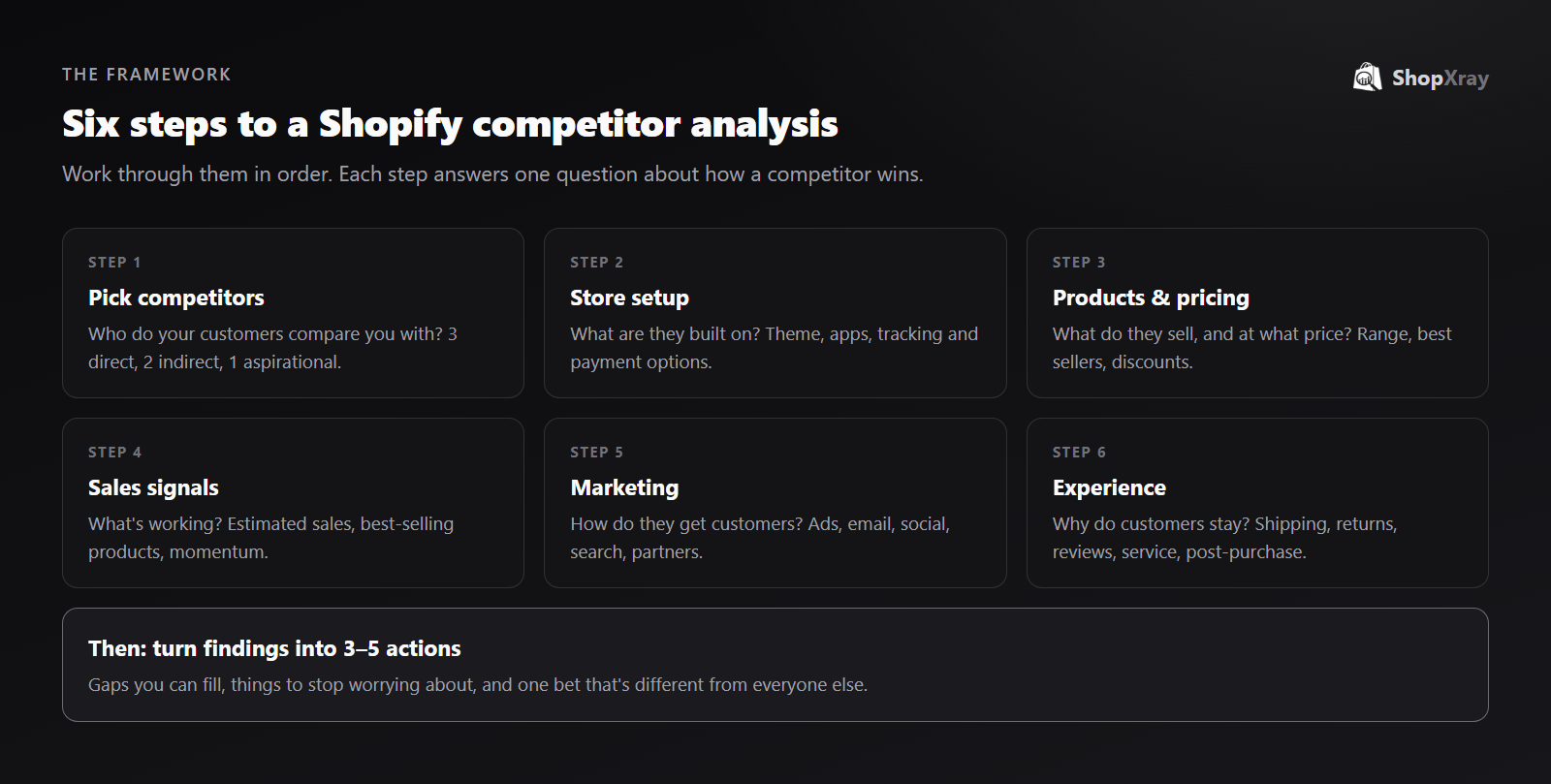
Step 1: Choose the right competitors
Pick the stores your customers actually compare you with, not just the biggest names in your category. A good set is:
- Three direct competitors: similar products, similar price, same audience.
- Two indirect competitors: a different product that solves the same problem, or the same product at a very different price.
- One aspirational brand: a store a few years ahead of you that shows where the niche is heading.
To find them, search your main keywords on Google, look at who advertises them in the Meta Ad Library, and ask a few customers who else they considered. Our guide on finding Shopify stores in any niche covers more methods.
Step 2: Look at how their store is built
The setup tells you how much a competitor invests and which tools they rely on.
- Theme. Free, paid or custom? An old, heavily customized theme suggests in-house developers. See how to find a store's Shopify theme.
- Apps. Reviews, upsells, subscriptions, loyalty, email capture. See how to see what apps a store uses.
- Tracking pixels. Meta, TikTok, Google Ads and Pinterest pixels show which ad channels they use.
- Payment and checkout. Wallets, buy-now-pay-later, free shipping thresholds.
A store analyzer pulls all four in one search.
Step 3: Map their products and pricing
- Range. How many products, how many collections, and how focused is the store?
- Best sellers. Add
/collections/all?sort_by=best-sellingto their domain. More on this in how to find winning products. - Price points. Record the prices of their top products, not the average.
- Discount habits. Always on sale, a few big events, or almost never? Tracking their prices for a few weeks answers this.
- New launches.
?sort_by=created-descendingshows what they're testing next.
Step 4: Estimate what's working
Now find out which of those products actually sell. Estimate sales from public signals, and focus on which products move and whether the store is growing. Our guide on how to see how much a Shopify store sells covers the methods and their limits.
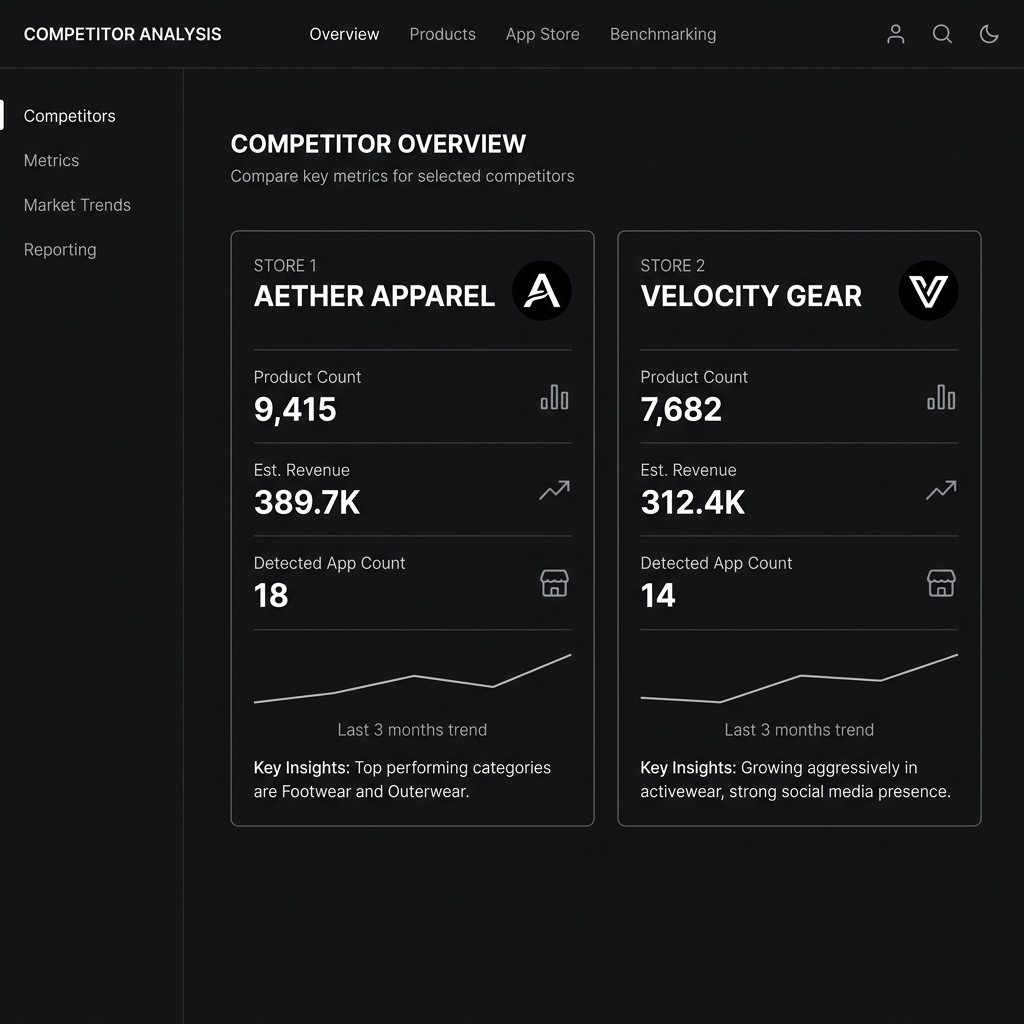
Step 5: Study how they get customers
- Paid social. Which ads have run longest, which formats and which offers? See our Meta Ad Library guide.
- Email and SMS. Subscribe with a dedicated inbox. Note the welcome offer, how often they send and what they lead with.
- Search. Which keywords do they rank for, and do they have content (guides, comparisons) that you don't?
- Social and creators. Which platforms are active, and do they work with creators or affiliates?
- Partnerships. Retail stockists, collaborations, marketplaces.
Step 6: Experience the store as a customer
The details that make customers come back are often invisible from the homepage.
- Shipping. Cost, free shipping threshold and promised delivery times.
- Returns. The window, who pays, and how easy the process is.
- Reviews. Read the 2- and 3-star reviews. They tell you exactly what customers wish were better.
- Service. Send a pre-sales question by chat or email and time the reply.
- Post-purchase. If you can, place a small order and note the packaging, inserts and follow-up emails.
How do you turn the research into decisions?
Fill in a scorecard so you can compare stores side by side:
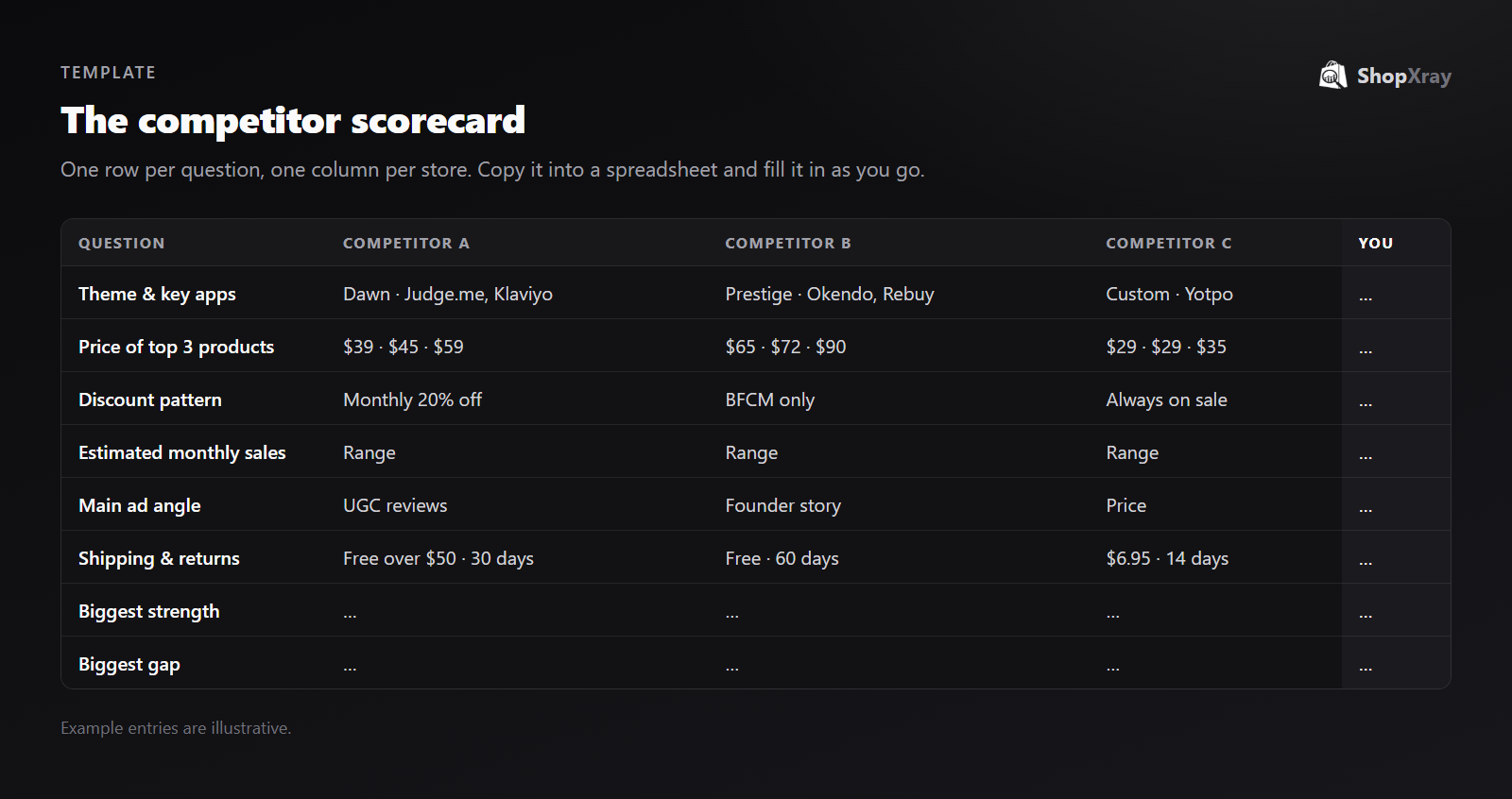
Here's the template as a table you can copy into a spreadsheet:
| Question | Competitor A | Competitor B | Competitor C | You |
|---|---|---|---|---|
| Theme and key apps | ||||
| Price of top 3 products | ||||
| Discount pattern | ||||
| Estimated monthly sales (range) | ||||
| Best-selling products | ||||
| Main ad angle and format | ||||
| Email welcome offer | ||||
| Shipping and returns | ||||
| Common complaints in reviews | ||||
| Biggest strength | ||||
| Biggest gap |
Then write down three to five actions, in three groups:
- Gaps to fill. Things every strong competitor does that you don't, such as photo reviews or a free shipping threshold.
- Things to stop worrying about. Features nobody successful uses, or price wars that only hurt margins.
- One different bet. Something no competitor does well, often hiding in their 2- and 3-star reviews.
How often should you redo it?
Do the full analysis once or twice a year, and keep a lighter check running in between:
- Weekly: competitors' prices, sales and new ads.
- Monthly: new products, apps and email offers.
- Before big sales periods: everything, two to three weeks ahead.
Tracking stores in ShopXray handles the weekly layer automatically, recording sales estimates, new products, price changes and new ads, so the full review starts from data instead of a blank page.
Want to see where the whole market stands? Our State of Shopify 2027 report shows the themes, apps and tools that are standard across Shopify.
Frequently asked questions
How do I do a competitor analysis for my Shopify store?
Choose a handful of competitors, then look at how their store is built (theme, apps), what they sell and at what price, which products sell, how they get customers and what the customer experience is like. Compare them in a scorecard and turn the findings into a few concrete actions.
How many competitors should I analyze?
Six is a good number: three direct competitors, two indirect ones and one aspirational brand that's a few years ahead of you.
What tools do I need for Shopify competitor research?
You can start with free tools: the store's own pages, the Meta Ad Library and Google. A store analyzer and sales tracker save time by showing the theme, apps, best sellers and estimated sales in one place.
How often should I analyze competitors?
Run the full analysis once or twice a year, keep a weekly eye on prices, sales and new ads, and do a full check two to three weeks before big sales periods.
Is it legal to research competitors' Shopify stores?
Yes, looking at public storefronts, ads and prices is normal market research. Copying their content, images, designs or trademarks is not.


