How to See What Apps a Shopify Store Uses

The short answer
View the store's page source and look at third-party script domains: static.klaviyo.com means Klaviyo, cdn.rebuyengine.com means Rebuy, and so on. Newer apps load through Shopify app embeds on cdn.shopify.com/extensions, which are harder to spot by hand, so an app detector is the reliable option. A typical store shows 4 storefront apps.
A competitor's store has a slick upsell in the cart, reviews with customer photos, and a pop-up that actually converts. Most of that isn't the theme. It's apps. The good news is that apps have to load their code on the storefront to work, so they leave traces you can read. This guide shows how to find them by hand, why manual checks miss more and more apps, and which apps Shopify stores actually use.
How can you tell what apps a Shopify store uses?
Apps that show something on the storefront (reviews, pop-ups, upsells, chat, size charts) have to load code there. You can find it in three places:
- Script URLs in the page source. Most apps load their JavaScript from their own domain, like
static.klaviyo.comorcdn.rebuyengine.com. - Shopify app embeds. Newer apps load through Shopify's theme app extensions. Their files come from Shopify's own CDN, but the paths and HTML still name the app.
- Visible widgets and branding. Review widgets, loyalty launchers and chat bubbles often carry the app's name or a "Powered by" credit.
The fastest route is a detector that checks all three. The sections below show what each method looks like by hand.
Method 1: Read the script domains in the page source
Open the store, press Ctrl+U (Cmd+Option+U on Mac) to view the source, and search for .js. Skip anything on the store's own domain or cdn.shopify.com/s/files (that's the theme). Third-party domains are usually apps.
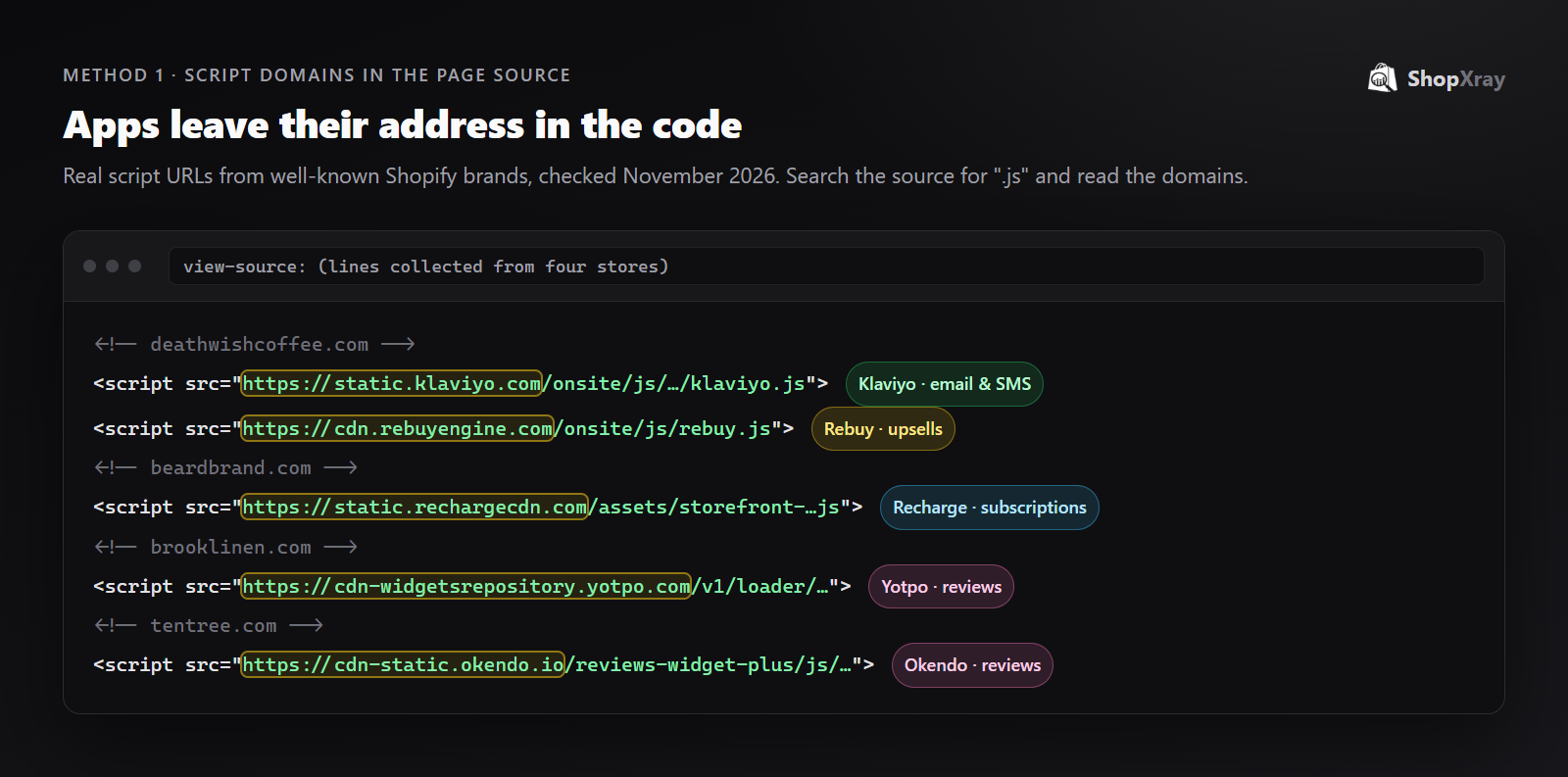
Here's what those domains tell you, using real examples:
| Store | Script domain | App | What it does |
|---|---|---|---|
| deathwishcoffee.com | static.klaviyo.com | Klaviyo | Email and SMS marketing, sign-up forms |
| deathwishcoffee.com | cdn.rebuyengine.com | Rebuy | Upsells and cross-sells |
| beardbrand.com | static.rechargecdn.com | Recharge | Subscriptions |
| brooklinen.com | cdn-widgetsrepository.yotpo.com | Yotpo | Reviews and loyalty |
| tentree.com | cdn-static.okendo.io | Okendo | Reviews |
If you don't recognize a domain, search it with "Shopify app". The app's listing usually comes up first.
Method 2: Look for Shopify app embeds
Since Shopify introduced theme app extensions, a growing share of apps load through app embeds instead of their own script tags. Their files are served from cdn.shopify.com/extensions/…, so a domain search misses them.
To find them, search the source for extensions or shopify-block. You'll often see the app's name in the file path or in HTML attributes like id="shopify-block-…". This method takes patience: one store can have dozens of these blocks, and their names aren't always obvious.
Method 3: Check the visible clues
Some apps announce themselves:
- Review widgets usually carry the app's branding (Judge.me, Loox, Yotpo, Okendo, Stamped).
- Loyalty launchers and referral tabs (Smile.io, LoyaltyLion) often show a "Powered by" line.
- Chat bubbles look different from app to app (Shopify Inbox, Gorgias, Tidio, Re:amaze).
- Cart drawers and upsells often have recognizable layouts once you've seen a few.
This is the least reliable method, but it's quick on mobile.
Method 4: Use a Shopify app detector
A detector reads all of the above in one go: script domains, app embeds, tracking pixels and known widget patterns. ShopXray's Shopify app detector lists each app with its category, its Shopify App Store rating and its pricing, so you can see what a competitor pays for and what you could install yourself.
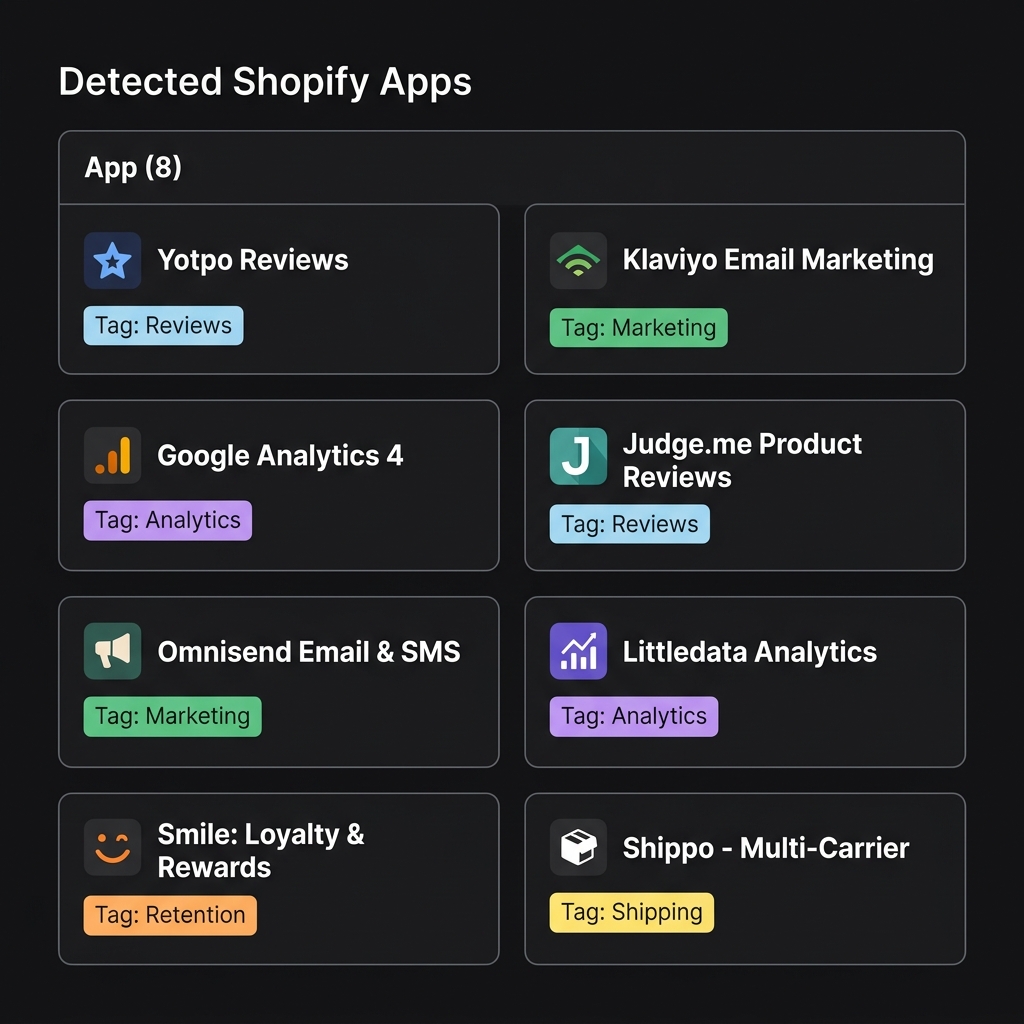
It's also the only practical way to compare stores. Checking ten competitors by hand takes an afternoon. In the store analyzer it takes ten searches, and you also get each store's theme and tech stack.
Which apps do Shopify stores actually use?
We ran ShopXray's detector across a random sample of live stores from our index in November 2026. A typical store shows 4 storefront apps (5.3 on average), and about 1 in 5 shows none at all.
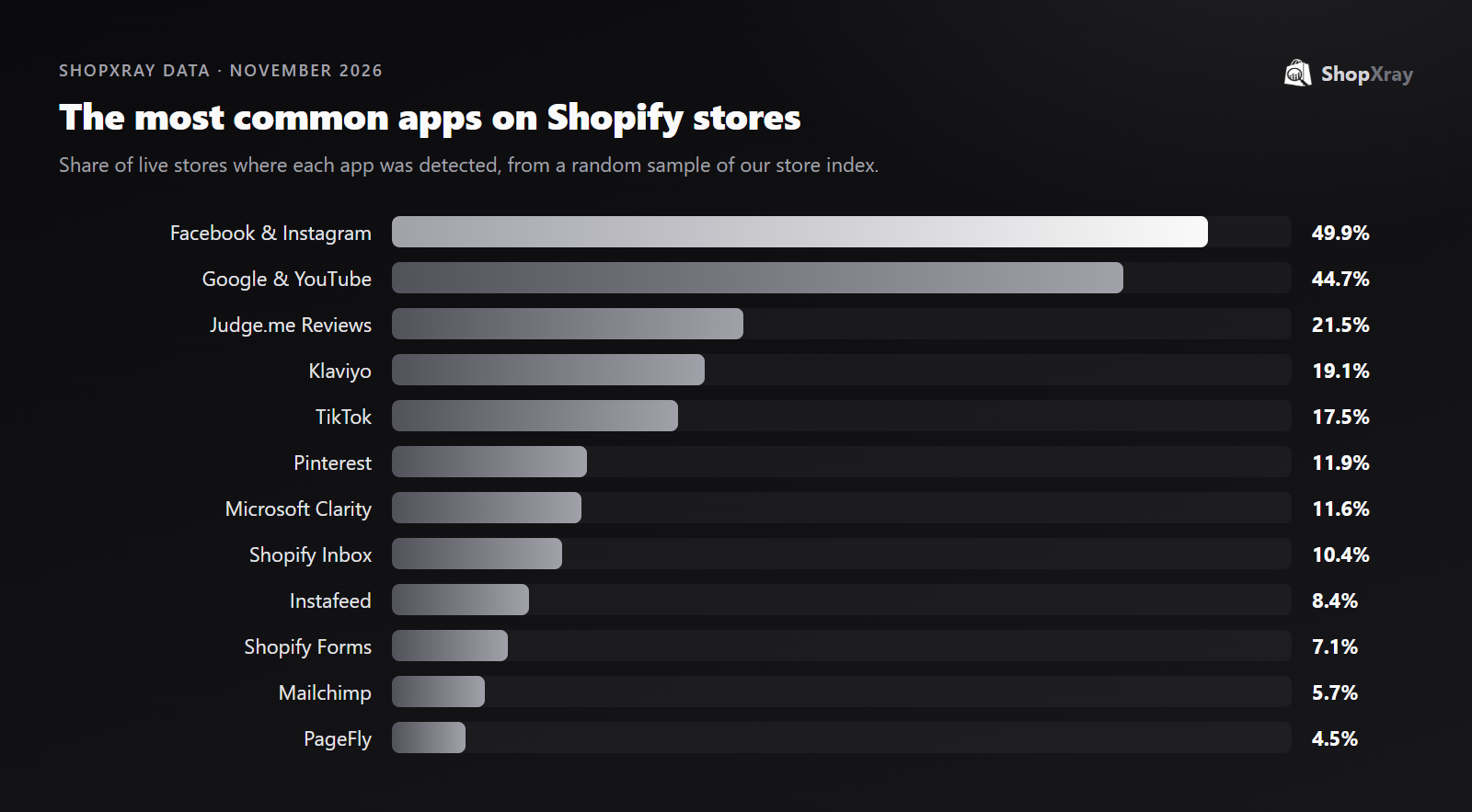
A few patterns stand out:
- Sales channels come first. Half of stores run Shopify's Facebook & Instagram channel and 45% the Google & YouTube channel. Advertising is the most common thing stores add.
- Judge.me leads reviews by a wide margin. It appears on 21.5% of stores, more stores than all other review apps combined in our sample. Ali Reviews and Loox follow at under 4% each.
- Klaviyo leads email. It's on 19.1% of stores, well ahead of Mailchimp (5.7%) and Omnisend (3.3%).
- Free Shopify apps are everywhere. Shopify Inbox (10.4%) and Shopify Forms (7.1%) are among the most common, because they're free and built by Shopify.
For the full breakdown, including themes and payment methods, see our State of Shopify 2027 report.
What should you do with a competitor's app list?
- Find the gaps in your own stack. If every strong competitor in your niche runs a review app with photo reviews and you don't, that's your next install.
- Look at the combination, not single apps. Reviews plus upsells plus email capture is a conversion system. One app on its own rarely explains a store's results.
- Check the price before you copy. Some apps cost hundreds a month at scale. A detector that shows pricing saves you a trip to the App Store.
- Watch for changes. A competitor switching review or subscription apps often means they hit a limit with the old one. Checking their store every few months shows you what they learned.
The theme is the other half of a store's setup. Our guide on how to find out what Shopify theme a store uses covers that side.
Frequently asked questions
Can I see what apps a Shopify store is using?
Yes, for apps that work on the storefront. View the page source and look for third-party script domains and Shopify app embed paths, or use an app detector that checks them for you. Admin-only apps can't be seen from outside.
Why doesn't a detector find every app?
Apps that only run in the Shopify admin or at checkout (inventory, accounting, fulfillment) don't load anything on the storefront. Detectors can only find apps that leave a trace on the pages they read.
How many apps does a typical Shopify store use?
In ShopXray's November 2026 sample of live stores, the median store showed 4 storefront apps and the average was 5.3. About 1 in 5 stores showed none.
What is the most popular Shopify review app?
Judge.me, found on 21.5% of live stores in ShopXray's sample, far ahead of other review apps such as Loox and Ali Reviews.
What is the most popular email app on Shopify?
Klaviyo, found on 19.1% of live stores in ShopXray's sample, followed by Mailchimp at 5.7% and Omnisend at 3.3%.


