Research Ad Creatives That Already Sell
For dropshippers, media buyers and brand teams: see which Facebook and Instagram ads Shopify stores keep paying for, what makes them work, and whether the product behind them actually sells.
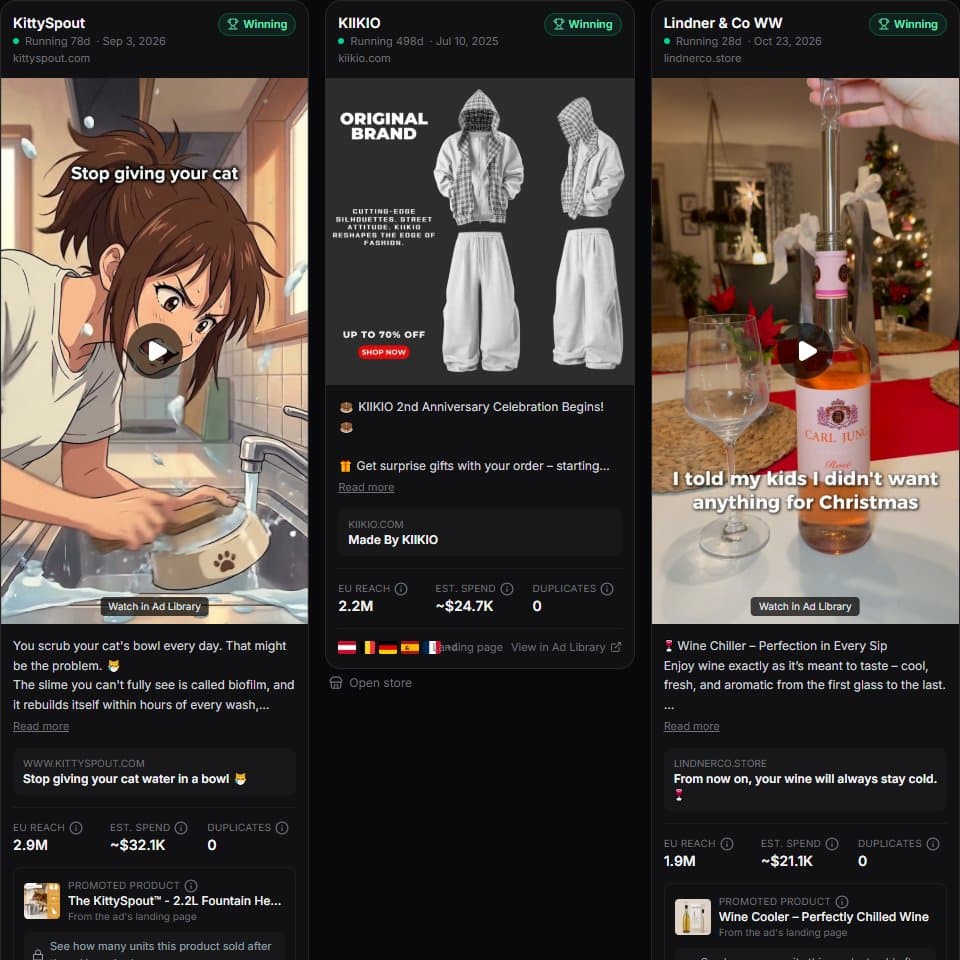
What is ad creative research?
Ad creative research means studying the ads competitors already run to learn which angles, hooks, formats and offers work in your niche, so your own tests start from proven patterns instead of guesses. ShopXray makes it practical for Shopify: it collects ads from Meta's Ad Library, keeps the ones from Shopify stores, and ranks them by how long they've run, how many people they reached and, for tracked stores, whether the advertised product's sales rose.
- Running time that marks a likely winner
- 30+ days
- Ad scores with stated reasons
- 3
- CPM behind each spend estimate
- $11
- Ad refresh for tracked competitors
- 12 h
The problem with creative testing from scratch
Most new ads lose money. Every creative you test from a blank page costs budget before it teaches you anything. Meanwhile your competitors have already paid to find out which angles work, and the result is public in Meta's Ad Library.
How teams use ShopXray for creative research
A typical weekly routine takes under an hour:
- Scan the winners: open Winning Ads, filter to your category, and pick "Running 30+ days" to see ads that have paid for themselves.
- Spot what's scaling: the Scaling preset shows creatives being duplicated or gaining reach fast, often the newest working angles.
- Break down the pattern: note the hook in the first line, the format (UGC video, static, carousel), the offer and the landing page.
- Check the money: estimated spend shows how hard a brand is pushing a creative; measured sales show whether it moved product.
- Watch your direct competitors: track their stores to get new ads and 30/60/90-day milestones in your daily email.
Why sales data changes creative research
Reach and run time are strong signals, but they're still proxies. ShopXray also tracks Shopify stores' inventory, so for stores you track it shows units sold in the 7 days before and after an ad started. A creative that ran alongside a jump from 4 to 40 sales a week is a much stronger lead than one with high reach and flat sales.
A creative research routine with ShopXray
Filter Winning Ads to your niche
Pick your store category and the markets you sell in.
Collect 10 long-running ads
Use the "Running 30+ days" preset and save the ones with several reasons on their badge.
Tag the patterns
Group them by hook, format and offer. Patterns that repeat across brands are your test ideas.
Track key competitors
Add 3–5 competitor stores to tracking to see new launches and sales lift as they happen.
Brief your own creatives
Write briefs around the proven angles, in your brand's voice and with your own footage.
Ways to research ad creatives
| Scrolling your feed | Meta Ad Library | ShopXray | |
|---|---|---|---|
| See competitors' current ads | By chance | ||
| Only Shopify stores | |||
| Sorted by days running and reach | |||
| Spend estimate per ad | |||
| Scores with reasons | |||
| Sales before vs. after an ad | Tracked stores | ||
| Alerts on competitors' new ads | Growth+ |
Good to know
- Ads come from Meta's official Ad Library API, which covers commercial ads delivered in the EU or UK. US-only campaigns aren't included.
- Use competitors' ads for angles and patterns, not to copy creatives: copying can infringe copyright and rarely performs as well for another brand.
- Spend figures are estimates from reach; sales lift needs the store to be tracked.
Frequently asked questions
Questions about researching ad creatives.